
CHAPTER 07
Import Files and Folders
Classify and import individual files or full folders.
On this page
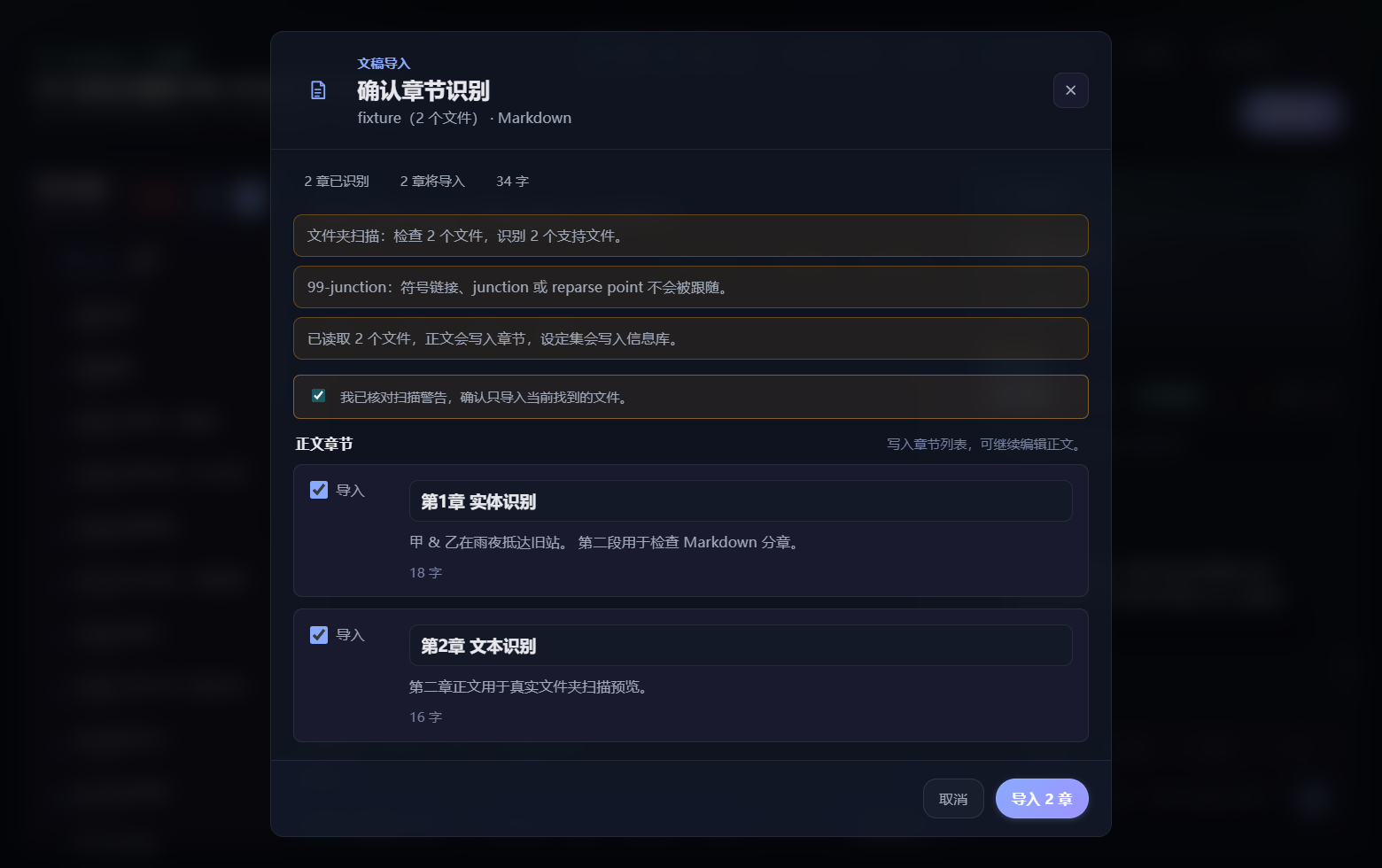
NovelFlow commonly accepts TXT, Markdown, DOCX, text-based PDF, and NovelFlow JSON. Scanned PDFs may require OCR first.
Import one file
Choose Import, select the file, inspect the parsed preview, correct its content type, resolve every item marked Needs confirmation, submit, and review successes and failures.
Import a folder
Choose the root folder, inspect scanned counts and classifications, batch-correct manuscript, outline, setting, ignored, and uncertain items, then start the import. Watch the current file and completed count. Afterward, sample chapters, categories, and source labels.
If an outline, character profile, or README is misclassified, correct it in preview instead of guessing its destination. Re-imports should update content produced from the same source while preserving manually edited official content; always review replacement, retained, and new counts.
Large imports are parsed, deduplicated, and indexed locally in batches. If interrupted, inspect the saved import state before continuing or retrying.
Still need a hand?
Send your version and steps so we can take a look.